


Autodesk Construction Cloud integration: drawings in, reports out
Connect BORIS to your Autodesk Construction Cloud project. The latest drawings and documents flow down to your operatives’ phones, and every completed form goes straight back into the right Autodesk folder as a PDF.
What is the BORIS Autodesk integration?
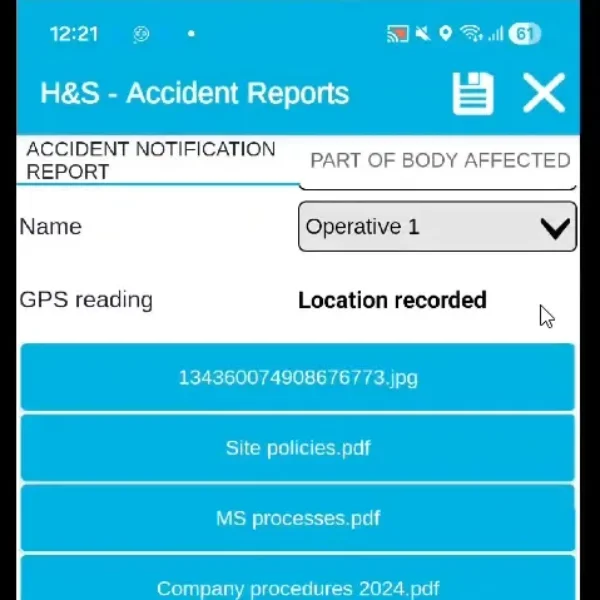
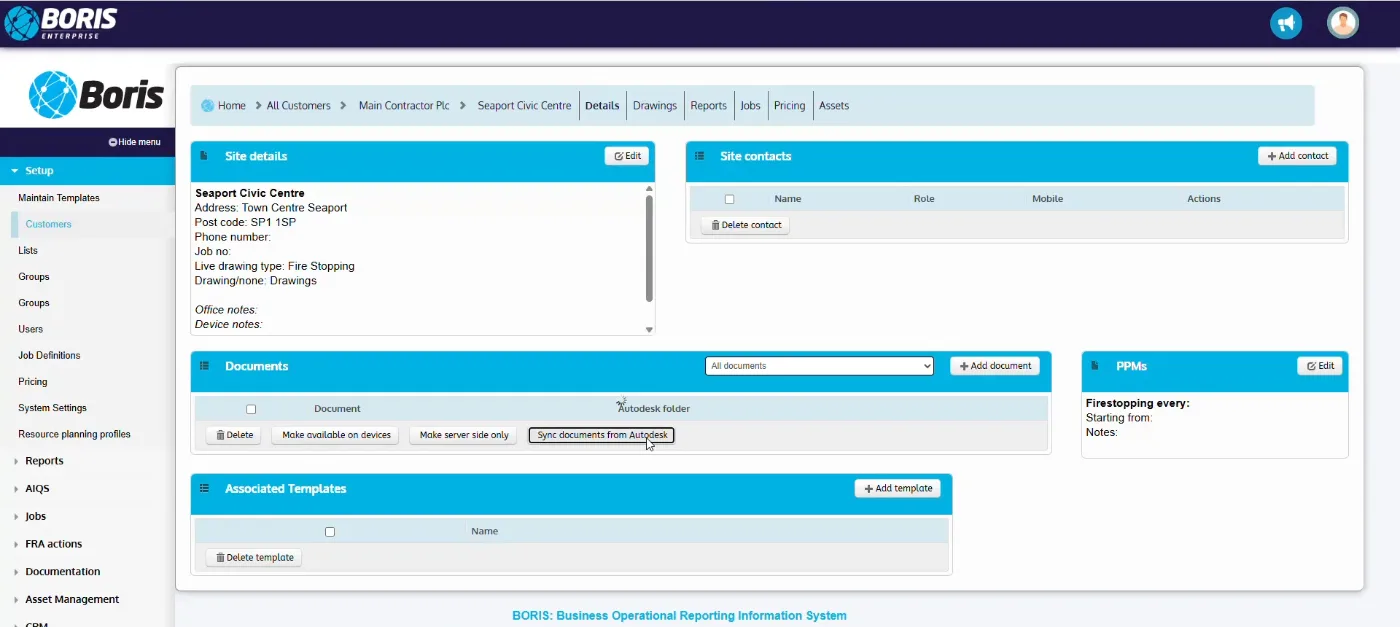
The BORIS Autodesk integration links each BORIS site to a project in Autodesk Construction Cloud (Autodesk Docs). One click on “Sync documents from Autodesk” pulls in the project’s drawings, specifications and procedures, and keeps the Autodesk folder each file came from. You then choose which documents to make available on devices, so operatives always work from the current revision, even with no signal.
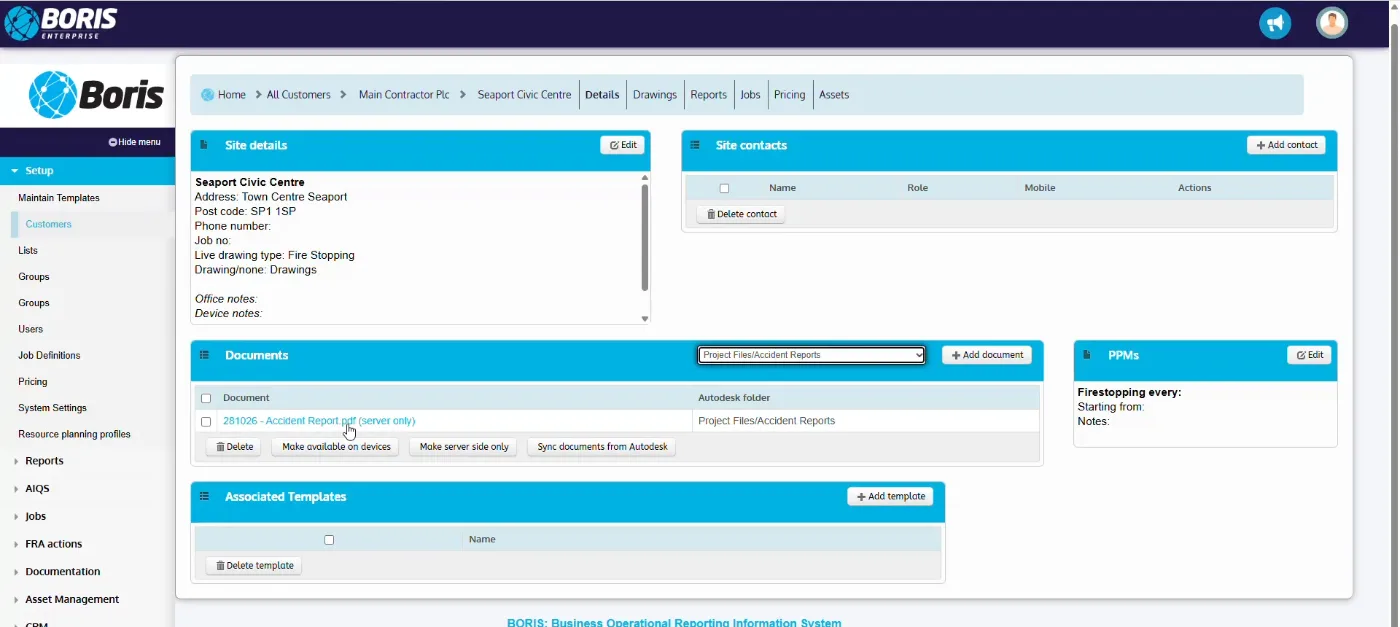
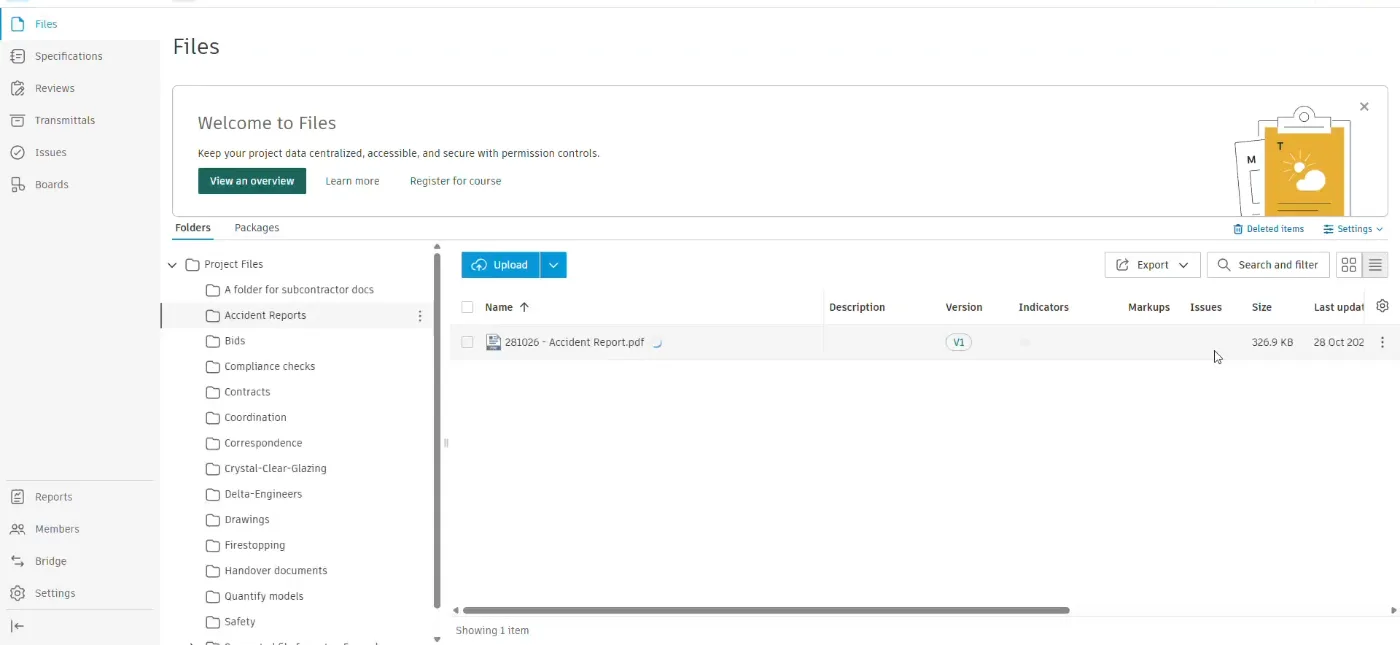
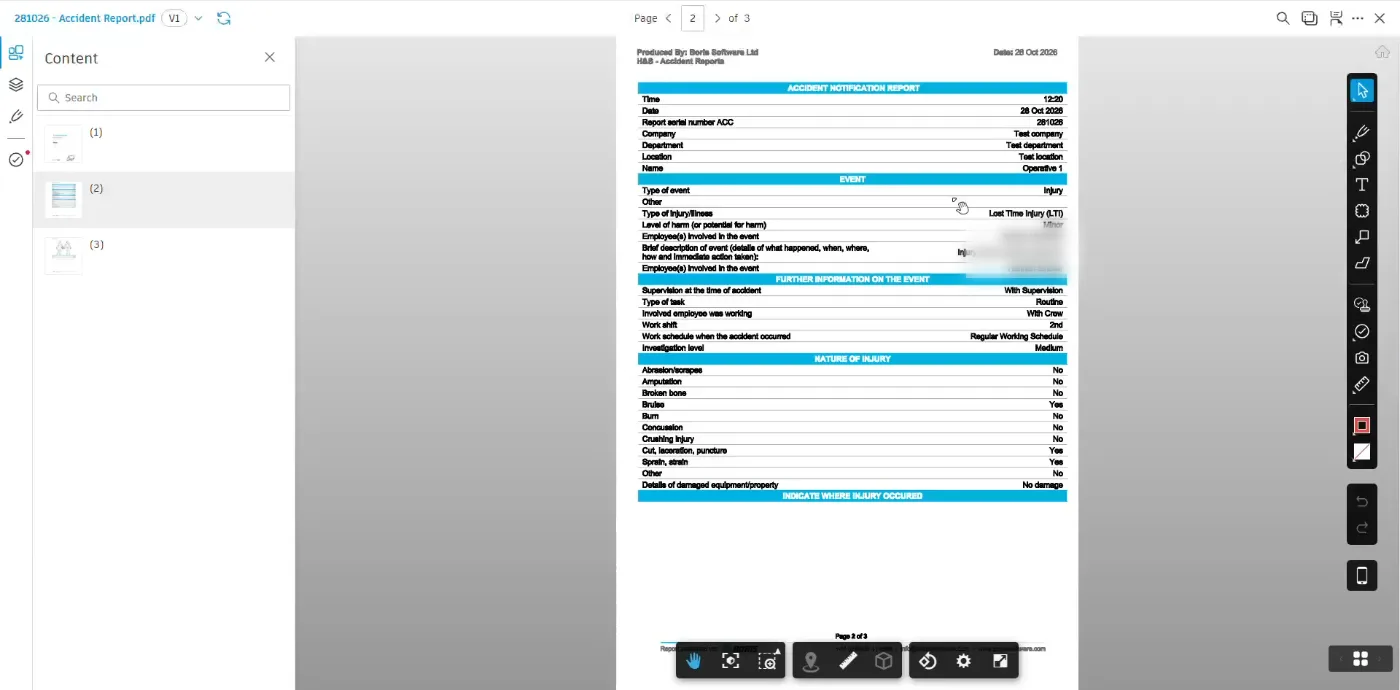
It works the other way too. When an operative completes a form in the BORIS app, such as an accident report, a fire stopping record or an inspection, BORIS files the finished PDF in the matching Autodesk folder, along with the form data. The main contractor sees it in Autodesk next to the rest of the project record, with no downloading, renaming or re-uploading.
Key features
- One-click sync of Autodesk project files into the BORIS site
- Original Autodesk folder kept for every file, with a filter by folder
- Choose which documents go to operatives’ devices, or keep them server-side only
- Synced drawings and procedures available inside forms on the BORIS app
- Completed forms filed automatically in the matching Autodesk folder as PDFs
- Reports open in the Autodesk viewer for review and markup alongside the project record
See it in action
Related: Live drawing · Health and safety software · All BORIS features · Book a demo
Frequently asked questions
Which Autodesk product does BORIS integrate with?
Autodesk Construction Cloud. BORIS connects to the project files in Autodesk Docs, so drawings and documents sync into BORIS and completed BORIS forms are filed back into the project.
Which way does the information flow?
Both ways. Drawings, specifications and procedures come from Autodesk into BORIS, and completed forms go from BORIS into the matching Autodesk folder as PDFs.
Can I control which documents reach operatives’ phones?
Yes. Each synced document can be made available on devices or kept server-side only, so operatives see only what they need for the site.
Which BORIS forms can be sent to Autodesk?
Forms linked to the site, such as accident reports, fire stopping records and inspections. Each completed form is filed as a PDF in the Autodesk folder it belongs to.
Does the Autodesk folder structure stay the same?
Yes. BORIS records the Autodesk folder for every file, and you can filter the site’s documents by folder.